Virtual showroom
Sell the finish
in their own photo
Swap materials, stage furniture and restyle whole rooms inside a real photo — buyers decide faster when they see it in their space, not in a catalog.
100 free credits every month · No credit card required
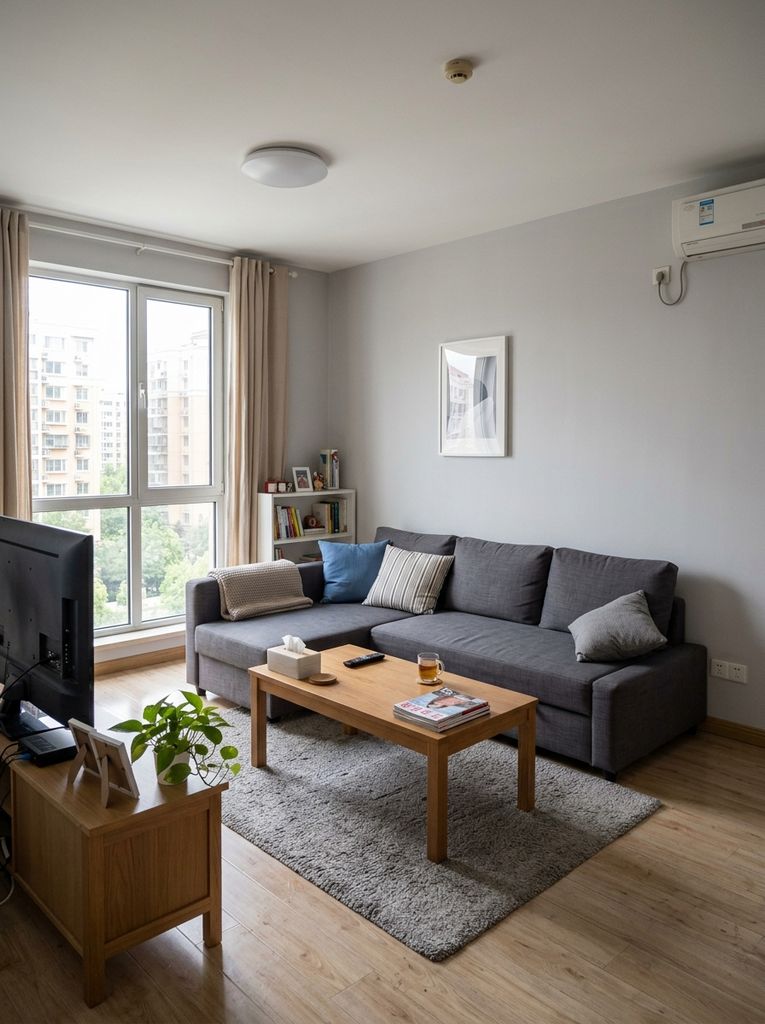 Before
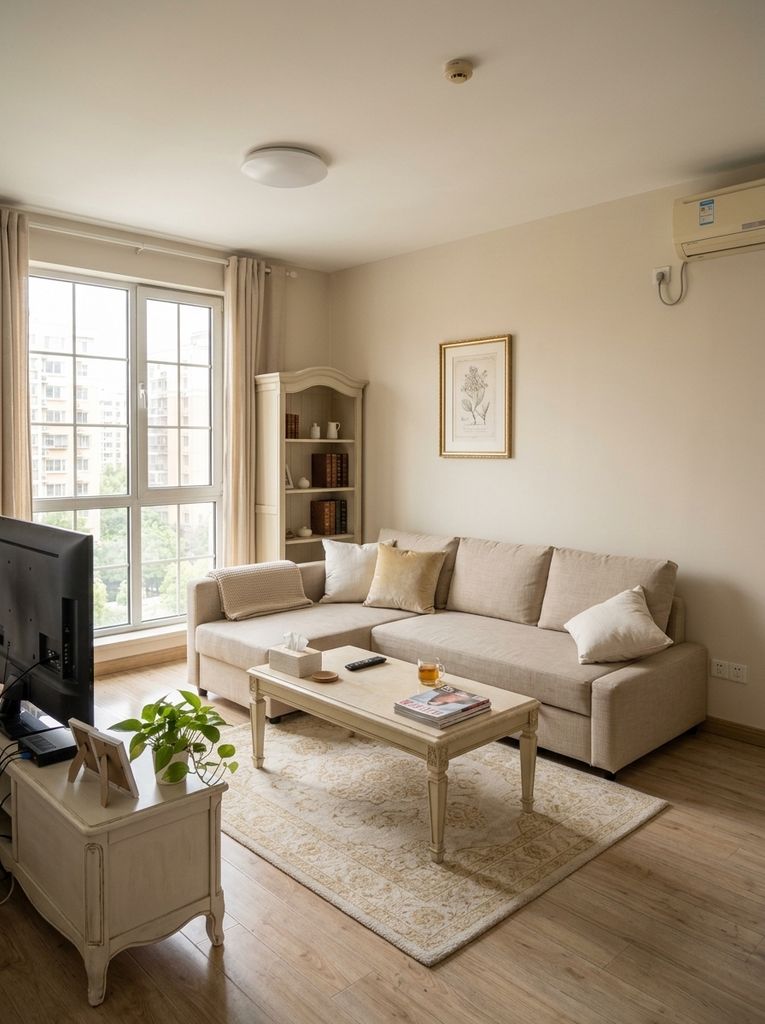 After
AfterMaterials
Finishes on real walls and floors
Pick a finish and see it applied to the actual room — perspective, lighting and trim respected. A material decision stops being an act of imagination.
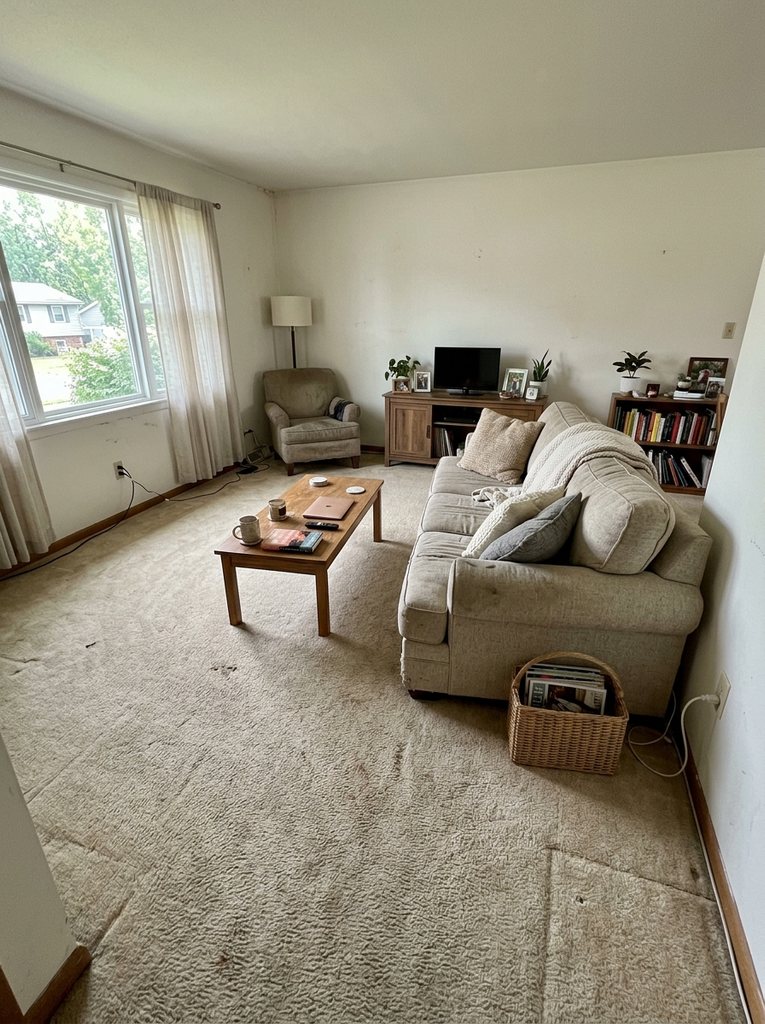
Furniture
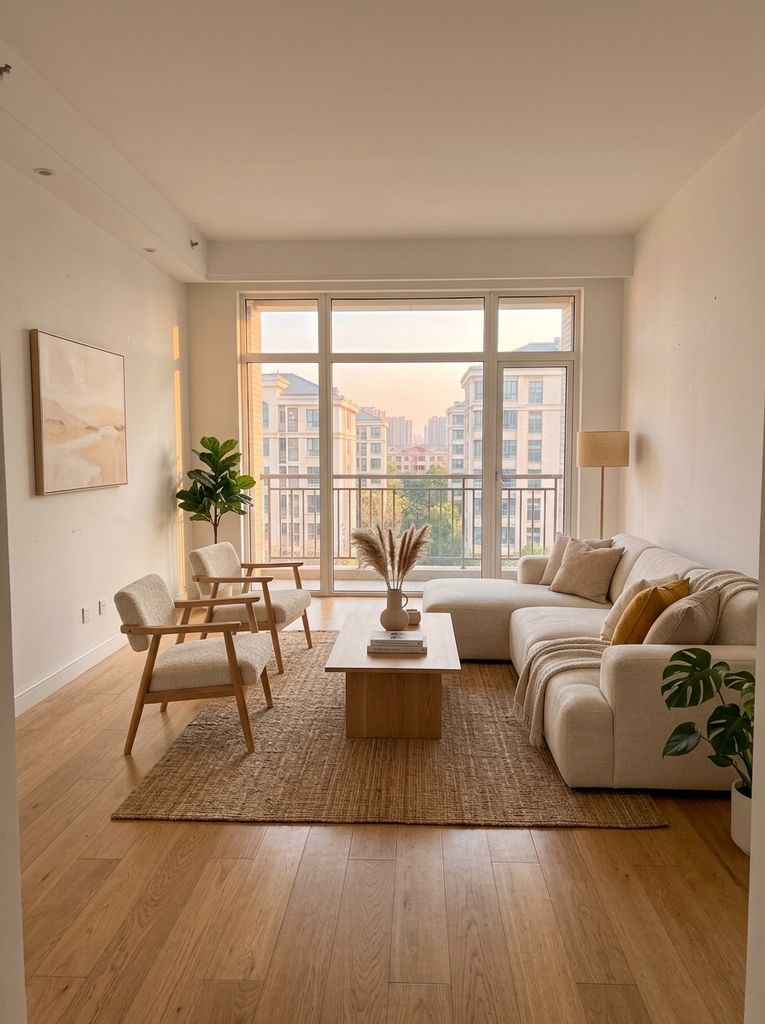
Stage the room, keep the room
Furnish an empty listing or restage an occupied one. The architecture stays exactly as photographed — what changes is only what you are selling.
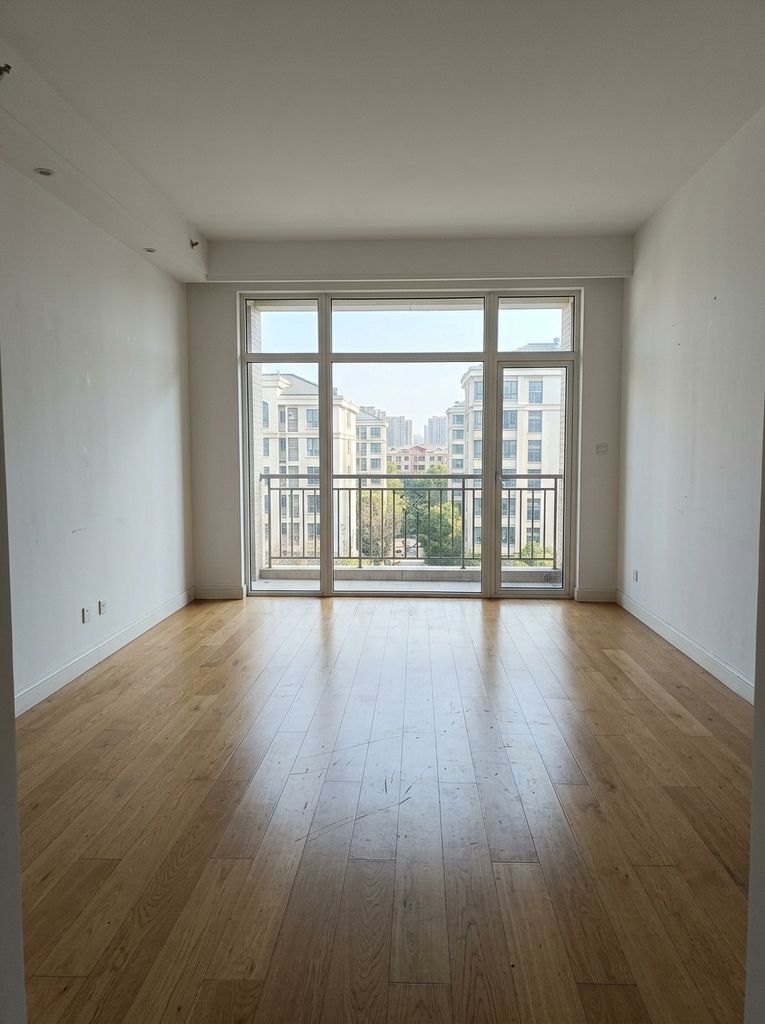 Before
 After
AfterDesign directions
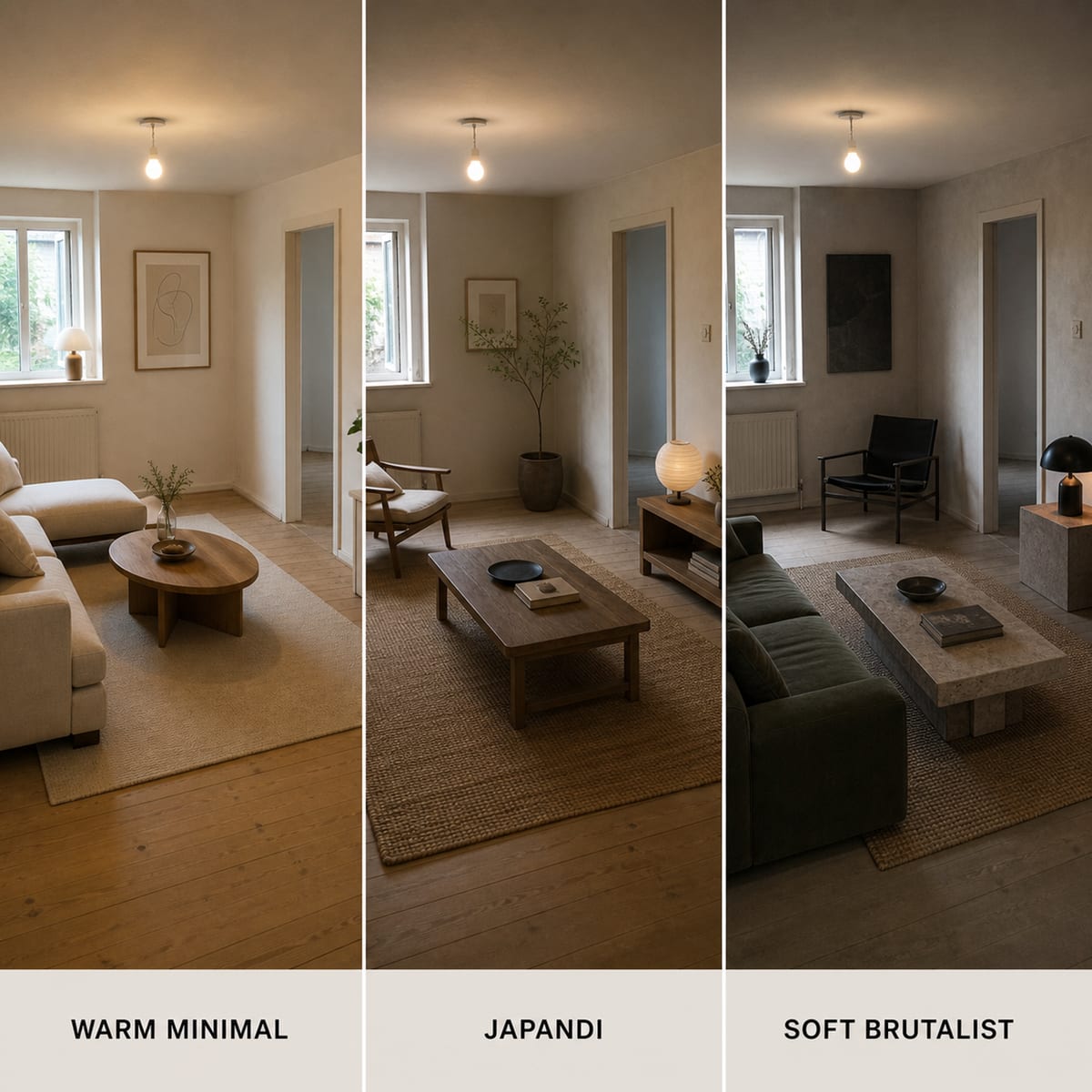
Three schemes, one conversation
Ask the Visual Agent for multiple directions and it delivers distinct schemes of the same room — the compare-and-choose moment that closes a design decision.
Outdoors too
Yards are showrooms as well
Decks, patios, fences, sheds, pergolas and fire features — visualized in the customer's own yard photo, so outdoor projects sell with the same confidence as interiors.
For teams that sell materials
Also available as a standalone product
Virtual Showroom ships on its own for businesses whose whole job is selling finishes and furnishings — same photo-first visualization, dedicated tool.
Purpose-built apps
Nine apps behind the agent
Showroom and Virtual Staging live alongside Pro Shot, HDR, Skybox, Refresh, Declutter, Virtual Tour and Content Studio.
- Polish photo
- Stage room
- Relight exterior
- Clean up scene
- Build walkthrough
- Relight drone video
- Swap finishes
- Merge exposures
- Draw floor plan
- Create presenter
Frequently asked questions
What does the Showroom app do?
Showroom lets a buyer see materials and furnishings in a real photo instead of a catalog swatch: pick a wall or floor finish, place furniture, and the photo updates while the room stays the room. It works on interior photos and on outdoor spaces — decks, patios, fences, sheds, pergolas and fire features.
Can it stage an empty room with furniture?
Yes. Virtual Staging is a dedicated app: it furnishes empty rooms while keeping the architecture exactly as photographed. For occupied rooms, the agent can restyle what is already there — new palette, new furniture style — from one instruction.
Can I show a client several design directions at once?
Yes. Ask the Visual Agent for multiple schemes and it delivers distinct directions of the same room — each one a separate image the client can compare side by side.
Does this work for outdoor projects?
Yes. The same photo-first approach covers outdoor categories: decks, patios, fences, sheds, pergolas and fire features can be visualized in the customer's own yard photo.
Is there a standalone showroom product?
Yes — Virtual Showroom is also available as its own product at virtualshowroomai.com, built for teams that sell materials and furnishings and want a dedicated tool for it.
What does it cost?
Enverse plans are sized by monthly credits: Basic is $0 with 100 credits, Plus is $20 for 1,500, Pro is $100 for 9,000, Max is $200 for 20,000, and Ultra is $1,000 for 100,000. Top-up packs run from $5 to $1,000, and credits from failed generations are refunded automatically.